
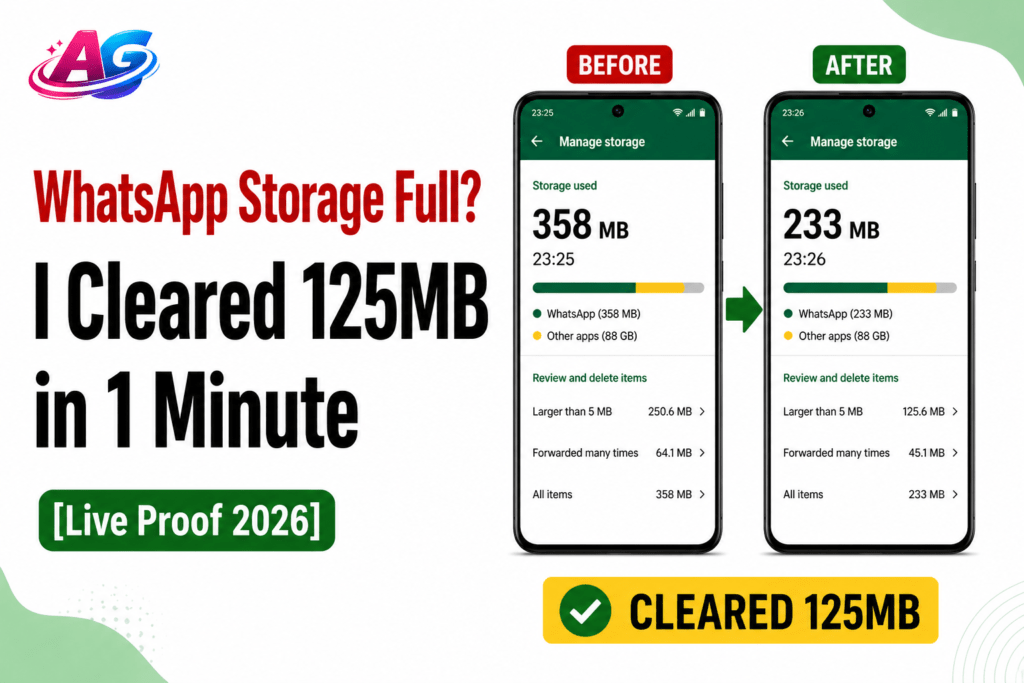

On 26 April 2026 at 11:25 PM, I opened my camera and saw the whatsapp storage full error. I checked and WhatsApp was using 358 MB. Under “Larger than 5 MB” files, it showed 168.0 MB.
By 11:26 PM, after deleting just the large files from Manage Storage, the WhatsApp storage dropped to 233 MB. I cleared 125 MB in just 1 minute, and not a single chat was deleted.
If you are also looking for a 5g battery drain fix, cleaning unnecessary files and large media like this can help reduce background activity and improve overall phone performance.
I tested this on my own phone. Here is the complete process with proof.
Important Disclaimer: I am not a tech expert. This test was done on my personal Android phone. My WhatsApp data was small, so only 125 MB was cleared. If your WhatsApp is 5GB-15GB, you could clear 1-3GB using the same method. This is not a guaranteed fix for everyone. I am just sharing what worked for me.
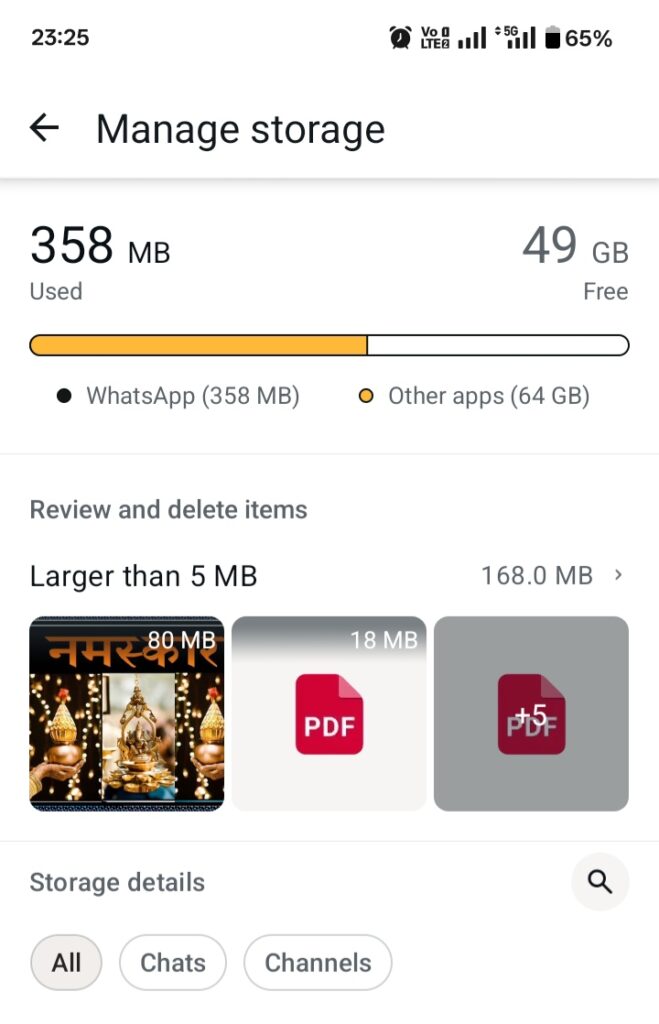
26 April 2026, 11:25 PM. WhatsApp using 358 MB. “Larger than 5 MB” files = 168.0 MB. This was before cleaning.
Why Does WhatsApp Storage Get Full? My 3 Findings
WhatsApp is different from other apps. After testing, I found 3 main reasons:
1. Auto-Download Is ON by Default: Any video or photo sent in a group gets downloaded automatically. You do not need to open it. In my case, an 80 MB “Namaskar” video was saved without me ever watching it.
2. Large Files Stay Hidden: Files bigger than 5 MB are usually videos or PDFs. They do not show up in your Gallery but they take up space inside WhatsApp. My phone had 168 MB of such files.
3. The Real Delete Option Is Hidden: Everyone goes to Phone Settings > Apps to clear cache. That only clears 10-20 MB. The real junk is inside WhatsApp’s “Manage Storage” tool which most people never check.
How I Fixed WhatsApp Storage Full in 1 Minute – Step by Step
I used only 1 tool: WhatsApp “Manage Storage” — a simple overheating phone solution that helps clear large files and reduce background load on your device.
My Real 1-Minute WhatsApp Storage Test – 26 April 2026
| What I Did | Time | WhatsApp Size Before | WhatsApp Size After | Space Cleared |
| Opened Manage Storage > Deleted files in “Larger than 5 MB” | 11:25 PM to 11:26 PM | 358 MB | 233 MB | 125 MB |
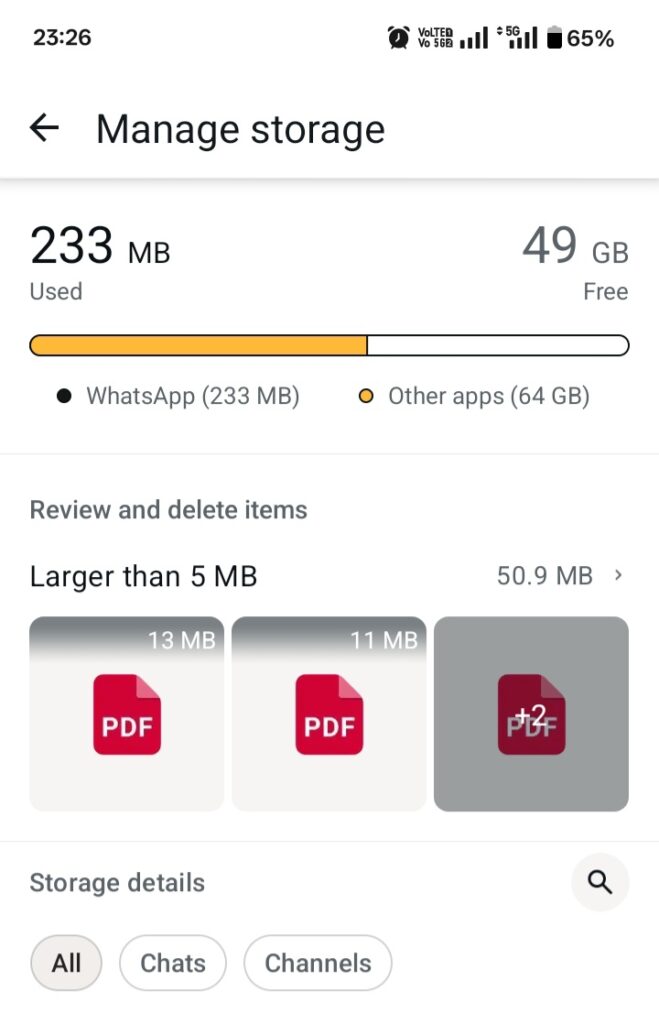
26 April 2026, 11:26 PM. After deleting large files. WhatsApp now has 233 MB. “Larger than 5 MB” reduced to 50.9 MB. 125 MB cleared in 1 minute.
Steps I Followed:
1. Open WhatsApp > Settings > Storage and Data > Manage Storage
2. Under “Review and delete items”, I tapped “Larger than 5 MB”. It showed 168.0 MB
3. I selected the 80 MB video + 18 MB PDF + a few other files and deleted them
4. When I went back, WhatsApp had gone from 358 MB to 233 MB
During this whole process, none of my chats were deleted. This is the safest fix for the whatsapp storage full issue.
Will This Method Work for Everyone?
Yes, but the results will vary. See how:
| Your WhatsApp Size | How Much You Can Clear | Why |
| Under 500 MB | 100–200 MB | Case like mine. Mostly large files |
| 1 GB to 5 GB | 500 MB to 2 GB | Forwarded videos + old PDFs |
| 5 GB to 15 GB | 1 GB to 6 GB | Years of data from groups |
The older your WhatsApp, the more you can clear. If you are in 10 groups that send Good Morning videos daily, you can easily clear 3-4GB.
3 Mistakes You Should Not Make – I Tested These
1. Do NOT Tap “Clear Data” in Phone Settings*: This will reset WhatsApp. You will lose all chats if you do not have a backup. Only “Clear Cache” is safe, but it clears just 20 MB.
2. Third-Party Cleaner Apps: I tried Files by Google. It only found 14 MB of WhatsApp cache. It cannot find the real 168 MB of junk. It is a waste of time.
3. Deleting from Gallery: If you delete WhatsApp videos from your Gallery, the link still remains in the chat. The space is not fully cleared. You must use Manage Storage.
Conclusion
The solution for whatsapp storage full is not buying a new phone. The solution is hidden inside WhatsApp’s settings.
Frequently Asked Questions
Q1. Will my chats get deleted with this method?
No. The “Manage Storage” tool only deletes media – photos, videos, PDFs. Your text messages and chat history remain 100% safe. I checked this myself.
Q2. How to get back a deleted photo?
Once you delete it from Manage Storage, it cannot be recovered. So preview before deleting. Save important files to “Starred Messages” first.
Q3. Why do I not see the “Forwarded many times” option?
If no video has been forwarded more than 5 times on your phone, this option will not appear. It was not on my phone either. The “Larger than 5 MB” option was enough.
Q4. Do I need to do this every week?
No. Just go to Settings > Storage and Data > Media Auto-Download and select “No Media” for Photos, Videos, and Documents. After this, the *whatsapp storage full* problem will not return for 6 months.