
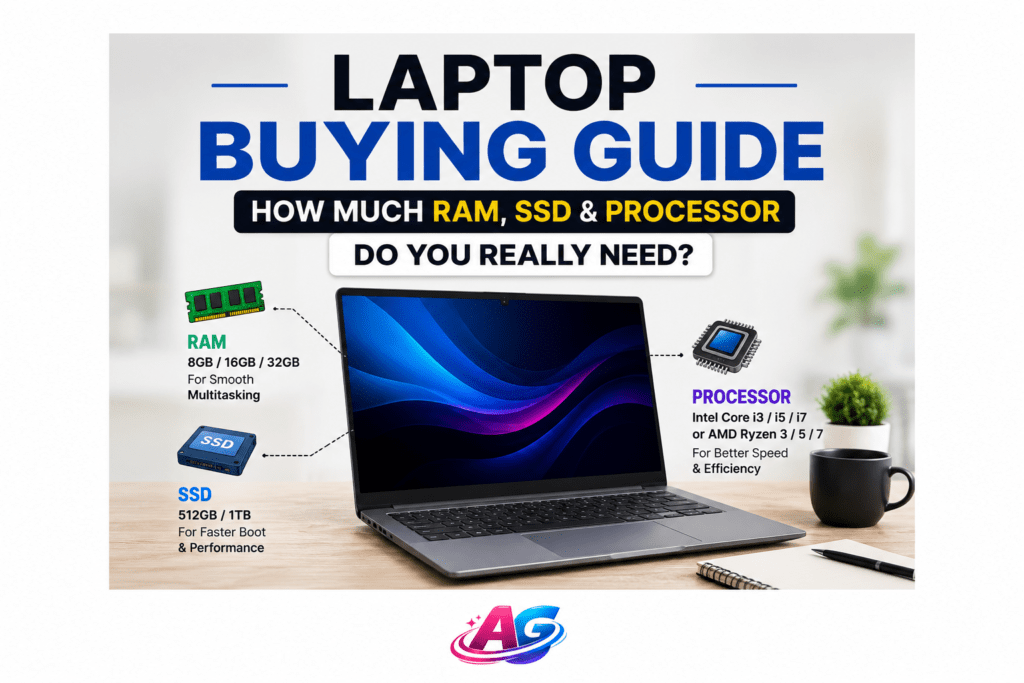

For College & Office Work: Get Intel Core i5 or AMD Ryzen 5 + 8GB RAM + 512GB SSD. These laptops typically start from $500 to $650.
For Video Editing & Gaming: Get Intel Core i7 or AMD Ryzen 7 + 16GB RAM + Dedicated GPU. Expect pricing to start from $900+ for these specs.
Need full details? Continue reading the complete guide below
Are you confused about whether 8GB RAM is enough or if you need 16GB? How big should the SSD be? Is an i5 better than a Ryzen 5
Everyone faces this confusion. A salesperson might sell you an expensive laptop with features you never use. Or you might buy a cheap laptop that becomes slow in just 6 months.
In this complete laptop buying guide, I will explain processor, RAM, SSD, graphics, and display in simple, non-technical language. No jargon, only practical advice. By the end of this guide, you will know exactly which laptop configuration is best for your college, office work, or video editing needs.
1. How Much RAM Do You Need In A Laptop? 4GB vs 8GB vs 16GB Explained
RAM stands for Random Access Memory. It is your laptop’s short-term memory. The more apps you open at once, the more RAM you need.
How much RAM is right for you
| RAM Size | Best For |
| 4GB RAM | Only basic tasks |
| 8GB RAM | Students, Office Work, Everyday Use |
| 16GB RAM | Video Editing, Coding, Heavy Multitasking |
| 32GB RAM | 4K Video Editing, 3D Rendering, Pro Work |
| What You Can Do | My Recommendation |
| 3–4 Chrome tabs, MS Word, YouTube | Avoid it. It will feel slow within 6 months |
| 10–15 Chrome tabs + Zoom + Word + Spotify together | Minimum Recommended. Laptops with this spec usually range from $450–$600 |
| Photoshop + Premiere Pro + 30 Chrome tabs together | Future Proof. Typically found in laptops priced $750 and above |
| Running large professional software together | Only for professionals. Not needed for normal users |
Bottom Line: In 2026, 8GB RAM is the minimum. If your budget allows an extra $70, go for a 16GB RAM laptop. Your laptop will last 2 years longer.
2. SSD vs HDD: Which Storage Is Better For Speed & Price
Storage is where your files, photos, and Windows are saved. There are 2 types in the market: SSD and HDD.
| Feature | SSD | HDD | Winner |
| Speed | 10X Faster. Laptop boots in 8 seconds | Slow. Laptop boots in 1 minute | SSD |
| Price | Expensive. 512GB costs ~$45 | Cheap. 1TB costs ~$40 | HDD |
| Durability | No damage if dropped | Can get damaged from movement | SSD |
| Noise | Completely silent | Makes a slight sound | SSD |
How Much SSD Do You Need
1.256GB SSD: For college students. Fits Windows + 5-6 software + files. This is the minimum.
2. 512GB SSD: Best for most people. Enough space for games, movies, and office files.
3. 1TB SSD: For video editors and designers who save large files.
Pro Tip: Never buy a laptop with only an HDD. A 256GB SSD + 1TB HDD combo is best. You get speed and storage. If your budget is tight, just get a 512GB SSD.
3. Intel i5 vs i7 vs AMD Ryzen: Which Processor Should You Choose
The processor is the brain of the laptop. It decides how fast your laptop works.
Simple Rule: i3 < i5 < i7 < i9. Same for Ryzen 3 < Ryzen 5 < Ryzen 7.
Which Processor Is For You
1. Intel Core i3 / AMD Ryzen 3: Only for MS Office, YouTube, email. Common in budget laptops, usually priced between $350 – $450.
2. Intel Core i5 / AMD Ryzen 5: Most Popular & Best Value. For college, office work, light photo editing. Price typically starts from $500 and goes up based on other features.
3. Intel Core i7 / AMD Ryzen 7: For video editing, coding, heavy software, gaming. These are premium laptops and usually start from $900+.
4. Intel Core i9 / AMD Ryzen 9: Only for professionals. A normal user never needs this.
Intel vs AMD: Which One To Buy Both are excellent. In 2026, AMD Ryzen 5 offers slightly better battery life and price than Intel i5. Performance is almost the same. Buy whichever is cheaper.
What About Generations i5-12th Gen, i5-13th Gen, i5-14th Gen. Newer generation = slightly more speed + better battery. Always buy 12th Gen or newer. Do not buy a 10th Gen laptop today.
4. Do You Need a Graphics Card In Your Laptop? Integrated vs Dedicated
A graphics card handles images and video.
There Are 2 Types:
1. Integrated Graphics: Comes built into the processor. Names: Intel Iris Xe, AMD Radeon Graphics. Enough for office work, movies, and casual games. Saves you money.
2. Dedicated GPU: A separate chip. Names: NVIDIA RTX 3050, RTX 4050. Necessary for gaming, 3D work, and heavy video editing. Makes the laptop expensive and bulky.
Bottom Line: If you are not a gamer or a professional video editor, do not buy a laptop with a dedicated graphics card. Integrated graphics are very powerful today. Save money and battery life.
5. Other Important Laptop Specifications To Check Before Buying
After processor, RAM, and SSD, check these 4 things:
1. Display: Get a Full HD 1920×1080 IPS Panel. Do not buy an HD screen, it will strain your eyes. 14-inch is best for college, 15.6-inch is best for office work.
2. Battery Life: If a company claims 10 hours, it really means 5-6 hours. Look for a laptop that claims “8 hours battery backup.” Check real reviews for battery.
3. Ports: It should have a minimum of 2 USB Ports, 1 HDMI Port, and 1 Type-C Port. You will need HDMI for presentations.
4. Build Quality: Is the laptop body plastic or metal? Is the keyboard comfortable? Visit a store and type on it before buying.
6. Laptop Buying Mistakes To Avoid – Don’t Waste Your Money
1. Looking At Brand Only: HP, Dell, Lenovo are all good. Look at specs more than the brand
2. Buying An Old Model For Discount: Do not buy an i5-11th Gen laptop in 2026. It will be outdated in 2 years.
3. Misunderstanding RAM: Some laptops have 4GB fixed + 4GB slot. You cannot upgrade to 16GB later. Check for “Upgradable RAM” in specs.
4. Ignoring Warranty: Get a minimum of 1-year onsite warranty. If extended warranty costs under $25, buy it.
Conclusion:
You are an expert now. Open this checklist on your phone when you go to the store:
For College & Office Work:
1. Processor: Intel i5-12th Gen OR AMD Ryzen 5-5500U or newer
2. RAM: 8GB Minimum
3. Storage: 512GB SSD
Note: Laptops with this configuration are generally available between $500 to $650, depending on brand and offers.
Buy a laptop with higher specs only if you have a specific need like gaming or 4K editing.
I hope this laptop buying guide cleared your confusion. If you still have any doubt, ask in the comments. I will reply.
Frequently Asked Questions
Q1: Is 8GB RAM enough for a laptop in 2024?
Yes, 8GB RAM is perfectly enough for college students, office work, and normal multitasking in 2024. You can run 15 Chrome tabs + MS Word + Zoom together. But if you do video editing or heavy coding, 16GB RAM is better.
Q2: Is 256GB SSD enough for a student laptop?
A 256GB SSD is enough for a student to start. Windows takes 30GB, MS Office takes 5GB. You can store projects and software in the remaining space. Use an external hard drive for movies and large files. If you have the budget, 512GB SSD is best.
Q3: Which processor is best for a coding laptop?
For coding, Intel Core i5-12th Gen or AMD Ryzen 5-5600U is the minimum best choice. They handle multitasking well. If you use Android Studio or other large software, get an i7 or Ryzen 7 with 16GB RAM.
Q4: Do I need a graphics card in a laptop for office work?
No, you do not need a dedicated graphics card for office work, Excel, Tally, email, or browsing. Integrated graphics are completely enough. A dedicated GPU makes the laptop expensive, hot, and drains the battery faster.