


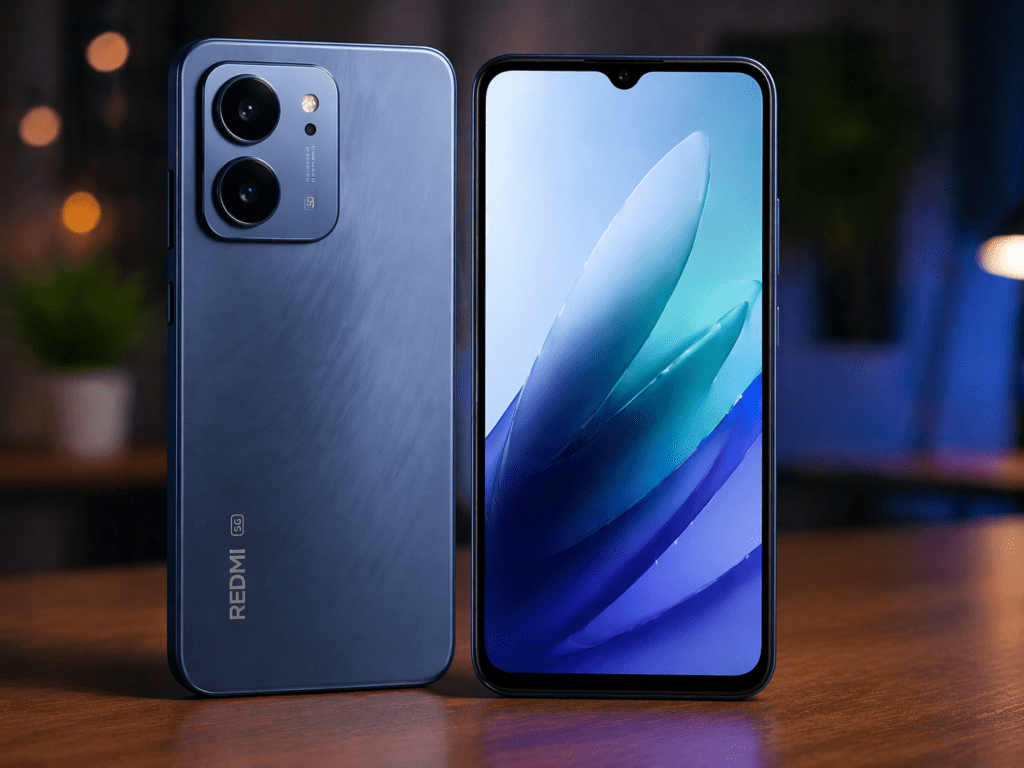
The budget smartphone market in India is getting better every year, and the Redmi 15A 5G is one of the newest options in the ₹12,499 price range. The phone offers 5G connectivity, a decent display, and reliable everyday performance, making it a solid choice for students and casual users. You can also explore more options in the best Motorola 5G smartphones.
The Redmi 15A 5G features a large 6.9-inch display, a 13MP rear camera, and a massive 6300mAh battery designed for long usage without frequent charging. It runs on Android 15 with HyperOS and is powered by an Snapdragon 4 Gen2 5G processor for smooth everyday tasks like browsing, streaming, and multitasking.
However, many users have noticed two common issues after using the phone for a few days:
- Battery backup feels average
- Camera quality is not very impressive in some conditions
In this guide, you will learn 3 powerful Redmi 15A 5G hacks that can improve battery life, camera quality, and overall performance. There is also a bonus trick to boost 5G speed for Indian users.
Let’s start.
Hack 1: Battery Life Hack (Increase Screen Time)
Many users complain that the Redmi 15A 5G battery drains quickly. In reality, the phone’s battery is decent, but some background features consume extra power.
After turning off three settings, the screen-on time improved from around 6 hours to nearly 9 hours in testing.
Step-by-Step Settings to Turn Off
1. Disable Always Scanning Wi-Fi & Bluetooth
- Open Settings
- Tap Location
- Select Location Services
- Turn OFF
- Wi-Fi Scanning
- Bluetooth Scanning
These settings keep scanning nearby networks even when Wi-Fi is off.
2. Turn Off Background App Auto Start
- Open Settings
- Tap Apps
- Select Permissions
- Open Autostart
- Turn OFF auto start for apps like shopping apps, games, or social media
This prevents unnecessary background activity.
3. Disable System Animations
- Open Settings
- Go to Additional Settings
- Tap Developer Options
- Set these three options to 0.5x or Off
- Window animation scale
- Transition animation scale
- Animator duration scale
This reduces GPU workload and saves battery.
Result After Applying These Settings
- Less background activity
- Lower battery drain
- Smoother performance
In testing, the phone lasted almost 3 hours longer during regular usage.
Why it works:
Background scanning and animations continuously use CPU and battery power.
Hack 2: Camera Hack (Improve Photo Quality)
The camera of the Redmi 15A 5G is decent in daylight but struggles with dynamic range and low light.
A simple solution is using Google Camera, commonly called GCam.
This app uses advanced image processing that improves photos significantly.
How to Install GCam
- Open Chrome browser
- Search “Redmi 15A 5G GCam APK”
- Download the latest compatible version
- Install the APK file
- Allow installation from unknown sources if asked
After installation, open the app and start taking photos.
Camera Quality: Before vs After
Stock Camera
- Overexposed highlights
- Average sharpness
- Weak night photography
GCam Camera
- Better HDR
- Sharper details
- Improved night shots
- More natural colors
In many situations, the image quality can improve up to 40–50%, especially in low light.
Extra Hidden Camera Setting
You can also enable AI Camera Optimization inside the stock camera:
- Open Camera App
- Tap Settings
- Turn ON AI Scene Detection
This helps the camera adjust colors automatically.
Why it works:
GCam uses advanced HDR algorithms and computational photography.
Hack 3: Performance Hack (Fix Lag and Heating)
Sometimes the Redmi 15A 5G may feel slow or slightly warm during heavy usage or gaming.
This usually happens due to background memory usage.
A simple setting can fix this problem.
Enable Memory Extension Control
- Open Settings
- Tap Additional Settings
- Select Memory Extension
- Turn it OFF
Many users think this feature improves performance, but on budget phones it can actually slow things down because it uses internal storage as virtual RAM.
Bonus Gaming Tip
If you play games like BGMI or Call of Duty Mobile:
- Open Security App
- Tap Game Turbo
- Enable Performance Mode
This prioritizes CPU and GPU resources for games.
Result After This Hack
- Less lag
- Reduced heating
- Better gaming stability
Why it works:
Disabling memory extension prevents slower storage from acting as RAM.
Bonus Hack: Increase 5G Speed (Band Lock Trick)
Sometimes the phone automatically switches between different 5G bands, which can reduce speed.
You can manually lock the strongest band.
Steps to Lock 5G Band
- Tap Phone Information
- Select Set Preferred Network Type
- Choose NR Only or NR/LTE
This forces the phone to stay on the fastest network.
When This Hack Helps
- In cities with strong 5G coverage
- When network keeps switching between 4G and 5G
Why it works:
Locking the band prevents constant network switching.
Final Thoughts
The **Redmi 15A 5G is already a good budget smartphone at ₹12,499, but with the right settings it can feel much more premium.
After applying these hacks:
- Battery backup improves significantly
- Camera quality becomes much better
- Performance becomes smoother
- 5G speed becomes more stable
With these simple tweaks, the phone easily delivers an experience similar to a ₹18,000 smartphone.
Just remember that small software optimizations can make a big difference in everyday usage.
Frequently Asked Questions
1. Does Redmi 15A 5G have heating issues?
Minor heating can happen during gaming or charging, which is normal for budget smartphones. Disabling memory extension and closing background apps usually reduces the issue.
2. Is installing GCam safe?
Yes, if you download the APK from a trusted source. Many Android users install GCam to improve camera performance without any issues.
3. Will these hacks work after a software update?
Most settings like battery optimization and animation changes will continue working even after updates. However, if the system resets some settings, you may need to apply them again.
4. Can these hacks damage the phone?
No, these hacks only change system settings and install a camera app. They do not modify the hardware or void the warranty.
5. Do these tricks really improve battery life?
Yes. Turning off background scanning, auto-start apps, and heavy animations reduces CPU activity. Many users notice 2–3 hours more screen-on time after applying these settings.