
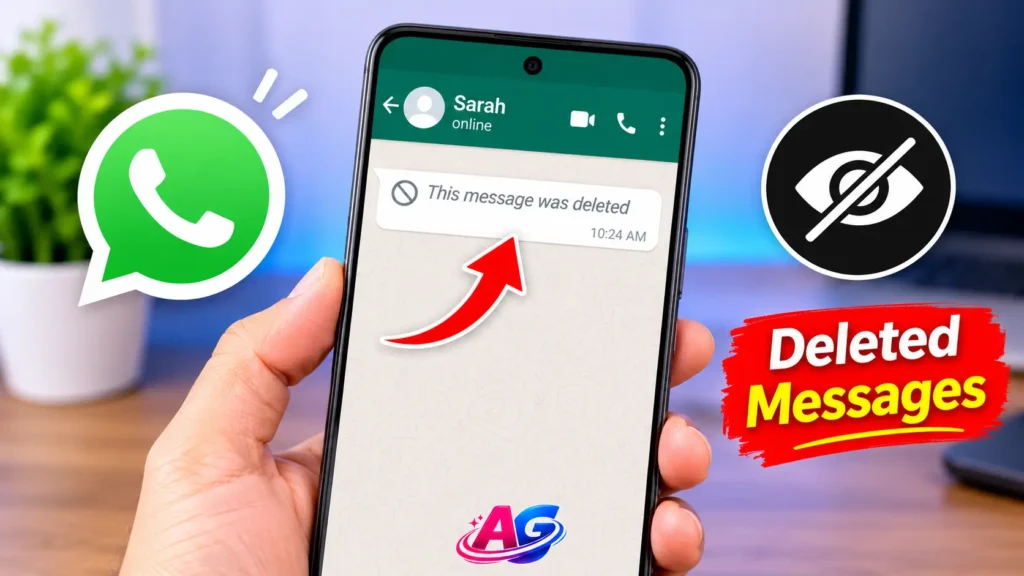

It happens with everyone.
You are busy, you see a WhatsApp notification – Rahul sent you a message. You open WhatsApp after 2 minutes and you see – “This message was deleted”.
Now your mind starts running. What did he send? Why did he delete it? Was it important? Was it about me?
If this has happened with you also, then this article is for you.
Today you will learn how to see deleted WhatsApp messages in 3 simple ways. 2 ways are without an app, and 1 way is with an app. No root or technical knowledge needed. Just follow the steps. If you also want to get more out of your smartphone, check out our Moto G86 Power Tips and Tricks guide for useful features and settings.
And yes, this works for both Android and iPhone. Difference is only in the steps, which is explained below.
Quick Answer – If You Are In A Hurry
Best Way Without App: Notification History – Works on Android, no app needed
Best Way With App: WAMR App – Recovers deleted messages, photos, even voice notes
Best Way For Old Messages: WhatsApp Backup Restore – If you have old backup, you can get all deleted messages back
Now let’s understand each method in detail.
1. How To Read Deleted WhatsApp Messages – Without App Method
Most people don’t know this, but you can read deleted WhatsApp messages without installing any app. This is the safest method because you don’t have to give permission to any third-party app. You can also explore these 7 WhatsApp Tricks to discover more useful features and make your everyday WhatsApp experience easier.
This method works with WhatsApp notification history. When someone sends you a message, Android saves it in notification history, even if the sender deletes it later.
This Works Only If:
- Your phone is Android (Samsung, Vivo, Oppo, Realme, Redmi – all work)
- You had internet ON when the message came
- You had not cleared your notifications before opening WhatsApp
Steps – How To See Deleted WhatsApp Messages Without App:
1. Go to your phone Settings
2. Search for Notification History and open it
3. Turn ON Use Notification History if it is OFF
4. Now, whenever someone deletes a message, go back to Settings > Notification History > WhatsApp
5. You will see the full deleted message there, even after it says “This message was deleted” in WhatsApp
One Important Thing: This method only shows text messages. If someone deleted a photo or video, you will only see “Photo” written there, not the full photo. For photos, you will need the app method, which is explained below. If your phone is running out of space because of WhatsApp media, check our guide on WhatsApp Storage Full to learn how to manage and free up storage.
This is the best answer for how to see deleted WhatsApp messages without any app.
2. How To See Deleted Messages On WhatsApp – Using Notification History
Now you will ask – Is there any difference between Method 1 and Method 2? Yes, small difference is there.
Method 1 is for normal settings. Method 2 is for phones where Notification History is hidden.
Many phones like Vivo, Oppo, Realme hide this option. In that case, you have to use a small trick.
Steps For Vivo / Oppo / Realme Users:
1. Long press on your Home Screen > Click on Widgets
2. Find Settings Widget and drag it to home screen
3. It will ask you to choose – Select Notification Log
4. Now a new icon will appear on your home screen – Notification Log
5. Whenever someone deletes a message, just open this Notification Log icon. You will see how to see deleted messages on WhatsApp – full message will be there.
This is the same method people search as how to see deleted WhatsApp messages without app. It is 100% free and safe.
Limitation: If you restart your phone, notification history gets cleared. So check the deleted message before restarting.
3. App To See Deleted WhatsApp Messages – Best 3 Apps
If you want to see deleted photos, videos, voice notes, and also old deleted messages, then you will need an app. Because without app, only text can be seen.
Here are the 3 best apps. All 3 are available on Play Store.
App 1: WAMR App – Best For All Types
WAMR is the most popular app to see deleted WhatsApp messages. 50 Million+ people use it.
What It Can Recover:
- Deleted text messages
- Deleted photos
- Deleted videos
- Deleted voice notes
- Deleted stickers
How To Use WAMR:
1. Install WAMR from Play Store
2. Open it, select WhatsApp, give notification permission
3. Now whenever someone deletes a message, open WAMR app
4. You will see the deleted message, photo, everything there
My Honest Opinion: WAMR works very well, but it shows ads. If you don’t like ads, use the second app.
App 2: Notisave App – Best For Clean Interface
Notisave is very light. It saves all your notifications. If you are looking for WhatsApp deleted message recovery for text only, this is enough. If your device is also facing performance issues, check out our guide on Phone Running Slow to learn how to improve its speed.
How To Use:
1. Install Notisave
2. Give notification access
3. Open Notisave > WhatsApp > You will see all deleted messages
App 3: WhatsRemoved+ App – Best For Photos
If someone deleted a photo and you want to see that photo, WhatsRemoved+ is best. It saves the photo in its own folder as soon as it comes.
Which App Should You Choose?
- Only Text Chahiye – Notisave
- Photo + Video + Text Chahiye – WAMR
- Photo Specially Chahiye – WhatsRemoved+
Safety Note: These apps need notification permission. They do not read your personal chats, they only read notifications. Still, don’t use any unknown app from outside Play Store. Only use these 3 trusted apps.
4. WhatsApp Deleted Message Recovery – Using Backup
Now let’s talk about old deleted messages.
Suppose someone sent you a message 2 days ago, you deleted it by mistake, or they deleted it, and now you want it back. Notification History will not work now because it is too old.
In that case, WhatsApp deleted message recovery using backup works.
How Does It Work?
WhatsApp takes a backup every night at 2 AM. If the message was there before 2 AM, it will be in the backup.
Steps:
1. Go to WhatsApp > Settings > Chats > Chat Backup > Check last backup date
2. If backup is available, uninstall WhatsApp
3. Reinstall WhatsApp, verify your number
4. It will ask “Restore Backup” – Click on Restore
5. After restore, you will get all messages back, including the deleted ones
Important: This method is best for how to recover deleted WhatsApp messages without backup? No, this method needs backup. If you never took backup, this will not work. For that case, use WAMR app method.
Can We See Deleted WhatsApp Messages After Delete For Everyone?
Yes, if you had notification history ON or WAMR installed before the message was deleted, you can see it. If you install the app after deletion, you cannot see old messages.
5. How To See Deleted Messages On WhatsApp iPhone Vs Android
This is where most people get confused. So let’s clear it.
How To See Deleted WhatsApp Messages On Android
Android is easy. You have 3 options:
- Notification History (Without App)
- WAMR / Notisave App
- Backup Restore
All 3 work perfectly on Android.
How To See Deleted Messages On WhatsApp iPhone
iPhone is a little strict. Apple does not allow apps to read notifications like Android.
So for iPhone, only 2 ways work:
1. Backup Method: If you have iCloud backup ON, uninstall and reinstall WhatsApp, restore from iCloud. You will get deleted messages back.
2. Notification Preview: If you saw the message in notification before it was deleted, you can check it in Notification Center by swiping down. But once you clear it, it is gone.
That is why how to see deleted messages on WhatsApp iPhone is a little difficult compared to Android. On iPhone, how to see deleted WhatsApp messages without app in iPhone is almost impossible without backup.
My Suggestion For iPhone Users: Always keep iCloud Backup ON in WhatsApp. It will save you in future.
How To See Deleted WhatsApp Photos
A lot of people ask – Message to dekh liya, but photo kaise dekhe?
For how to see deleted WhatsApp photos, only WAMR or WhatsRemoved+ will work. Notification History will only show “Image” written, not the full photo.
So if someone often sends and deletes photos, install WAMR before hand. It will auto-save the photo as soon as it comes.
Delete For Me Vs Delete For Everyone – Difference You Must Know
WhatsApp has 2 delete options. Most people mix them.
Delete For Me: Message only deletes from your phone. The other person can still see it.
Delete For Everyone: Message deletes from both phones. This is the one we are talking about in this article.
When someone uses Delete for everyone, WhatsApp shows “This message was deleted”. But with the methods above, you can still see it.
Is It Safe And Legal To See Deleted Messages?
Yes, it is 100% safe and legal to see deleted messages on your own phone using notification history or backup.
You are not hacking anyone’s phone. You are just reading the notification that already came to your phone. It is like you read a letter before someone took it back.
But one thing – Don’t use these tricks to trouble anyone. Use it only to recover your important messages, photos, or for fun with friends. Don’t misuse it.
Final Verdict
If you want to see only text and you have Android – Use Notification History. No app needed, 100% safe.
If you want to see photo, video, voice notes also – Use WAMR App. Install it today, so future deleted messages are saved automatically.
If you want to see very old deleted messages – Use Backup Restore method.
Install WAMR or turn ON Notification History today itself, because these tricks only work if they are ON _before_ someone deletes the message. After deletion, if you install the app, it will not work.
If this article helped you, share it with that friend who always deletes messages after sending. He will be shocked how you can still see them.
Frequently asked questions
Q1. How to see deleted WhatsApp messages on Android without app?
Ans: Go to Settings > Notification History > Turn it ON. Whenever someone deletes a message, you will see it in Notification History. This is the best way to see deleted WhatsApp messages without any app on Android.
Q2. How to see deleted WhatsApp messages without any app on iPhone?
Ans: On iPhone, without app method is very limited. Only iCloud Backup Restore works. Uninstall WhatsApp, reinstall, and restore from iCloud backup to get deleted messages back.
Q3. Which is the best app to see deleted WhatsApp messages?
Ans: WAMR is the best app. It recovers text, photos, videos, and voice notes. Notisave is best for text only, and WhatsRemoved+ is best for photos.
Q4. Can we see deleted WhatsApp messages after delete for everyone?
Ans: Yes, if you had Notification History ON or WAMR installed before deletion, you can see it. If you install the app after deletion, you cannot see old messages.
Q5. How to recover deleted WhatsApp messages without backup?
Ans: Without backup, use WAMR or Notification History method. Backup method needs backup, but WAMR works without backup because it saves notifications in real-time.
Q6. How to see deleted WhatsApp messages on WhatsApp iPhone vs Android – Which is easier?
Ans: Android is much easier because Android allows notification history and apps like WAMR. iPhone is strict, only backup method works properly.


Pingback: Phone Slow? 7 Secret Hacks how to make your phone fast In 2 Min!