
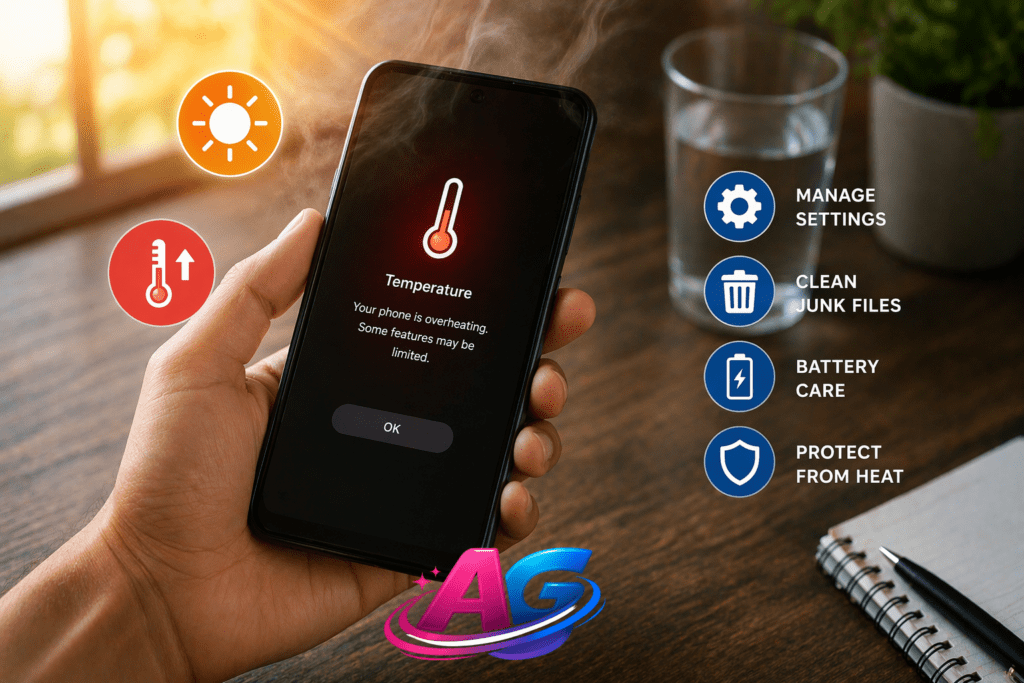

It’s April and the temperature in Lucknow is already 42°C. Pick up your phone and it feels like you’re holding a hot jalebi. Play BGMI for 10 minutes and you get frame drops. Open the camera and you see a “phone too hot” warning.
Don’t worry. In 90% of cases, your phone is not damaged. It’s just the combination of summer heat + wrong usage.
Today I’ll share 4 hacks that can reduce your phone’s temperature by 6-8°C in just 5 minutes. These work on all Android phones –Redmi, Samsung, Moto, Realme, OnePlus.
Let’s start.
3 Main Reasons Your Phone Overheats
First, understand why the problem happens. The solution becomes easy once you know the cause.
*1. Outside Temperature is Above 35°C*
Your phone’s CPU, battery, and camera all generate heat. On normal days, this heat escapes into the air. But when it’s 40°C outside, where will the heat go? That’s why the phone feels hot. Up to 45°C is completely normal for a phone.
*2. Heavy Load on Processor*
BGMI, Call of Duty, Instagram Reels, Hotspot ON, plus 20 apps running in the background. Even a Snapdragon 8 Gen 3 will heat up here. Budget phones struggle even more.
*3. Charging + Using Phone = Most Dangerous*
Playing games or video calling while charging. This makes both the battery and CPU generate heat. It also kills battery life long-term.
Now let’s see the solutions.
*Hack 1: The 90-Second Emergency Fix*
The phone is super hot and you need to cool it right now? Do this:
Step 1: Close All Apps
Tap the Recent Apps button and hit ‘Close All’. Shut down BGMI, Camera, Chrome – everything.
Step 2: Turn On Airplane Mode for 2 Minutes
Pull down the notification bar and tap the Airplane icon. This stops Network, WiFi, Bluetooth. It cuts 50% of your phone’s workload instantly.
Step 3: Place the Phone Face-Down on a Table*
Screen down, back up. Keep it under a fan or in front of the AC. Remove the case if you have one on.
*Result*: Temperature drops 6-8°C in 5 minutes. This is the fastest fix in emergencies.
*Why it works*: Network searching and background apps use 70% of the CPU. Stop them and the load disappears.
Hack 2: Permanent Setting Hack – Limit Background Processes
Do this setting once and your phone won’t overheat as often.
Step 1: Turn On Developer Options
Settings > About Phone > Tap MIUI Version or Build Number 7 times. You’ll see ‘You are now a developer’.
Step 2: Set Background Process Limit
Settings > Additional Settings > Developer Options > Scroll to ‘Background process limit’.
Set it to ‘At most 2 processes’. During gaming, you can set ‘No background processes’.
*When to Change Back*: After you’re done, set it back to ‘Standard limit’ or WhatsApp messages will be delayed.
*Why it works*: Android keeps 20-30 apps running in the background by default. Limiting this frees up the CPU and stops heat buildup.
Hack 3: The Right Way to Charge in Summer
60% of overheating happens due to wrong charging. Follow these 3 rules:
Rule 1: Remove the Case While Charging
Silicon/plastic cases trap heat. Take it off as soon as you plug in.
Rule 2: Charge Only Up to 80% During the Day
The last 20% from 80 to 100 generates the most heat. Charging from 20% to 80% is the fastest and coolest. Only charge to 100% at night.
Rule 3: Charge in a Ventilated Area
Don’t charge on a bed, pillow, or sofa. Keep it on a table or floor where air can flow. Turn on a fan above it.
*Bonus*: Fast chargers make phones hotter. If you’re not in a hurry, use an old 10W charger during summer.
*Why it works*: No trapped heat means battery temp stays below 40°C. This also increases battery lifespan by 1 year.
Hack 4: Never Do These 3 Mistakes – They Will Damage Your Phone
Some YouTubers give bad advice. Never do these 3 things:
1. Don’t Put It in a Freezer/Fridge
It will cool in 10 min but moisture will condense inside. This can short-circuit the motherboard. Potential ₹15,000 loss.
2. Don’t Dip It in Water
Even with IP68 rating, don’t do it. Cold water on a hot phone can crack the screen.
3. Don’t Run “Phone Cooler” Apps All Day
Those Play Store cooler apps eat battery themselves. You don’t need them. The 3 hacks above are enough.
Correct way: Just keep it under a fan or in an AC room for 2 minutes. That’s enough.
Will Summer Heat Damage Your Phone?
No. All phones have built-in safety systems.
*40°C – 45°C*: Totally normal. Don’t worry.
*45°C – 48°C*: Phone will slow down automatically. This is called thermal throttling.
*50°C+*: Phone will show a warning and close apps or shut down by itself.
So the company has already planned for this. Your job is just to use the hacks above.
Final Thoughts
A phone heating up in summer is like a human sweating – it’s natural.
Just remember 3 things:
1. Don’t game while charging
2. Limit background apps
3. Remove the case and keep it in airflow
Do this and whether you have a ₹12,499 Redmi 15A or a ₹1.2 Lakh iPhone, both will stay cool.
If your phone still stays above 50°C all day without use, visit a service center. It could be a battery issue.
Frequently Asked Questions
1. Does heating reduce battery life?
Yes. If it constantly stays above 45°C, battery life can drop 20% in a year. That’s why the hacks above are important.
2. Should I always remove the back cover?
Only in 3 cases: While gaming, while charging, and while using in direct sunlight. Keep it on other times for protection.
3. Should I buy a cooling fan from Amazon?
If you play BGMI 4-5 hours daily, a ₹800 fan helps. It drops temp by 5-6°C. Normal users don’t need it.
4. Will these hacks work on Redmi 15A 5G?
Yes. In the last post Redmi 15A 5G Hacks we discussed turning off memory extension. Use these hacks together with that for best results.